
Overview
Parallels Plesk 12 features complete integration of the ModSecurity, the Open Source Web Application Firewall for the Apache web server. This integration provides an easy to configure interface as well as a default set of rules which can prevent security exploits, malicious attacks and malformed requests to your websites.
Installation
- Login to Plesk.
- On the left hand side, select Tools and Settings:

- Click on Updates and Upgrades on the right hand side:

- This will open a new window.
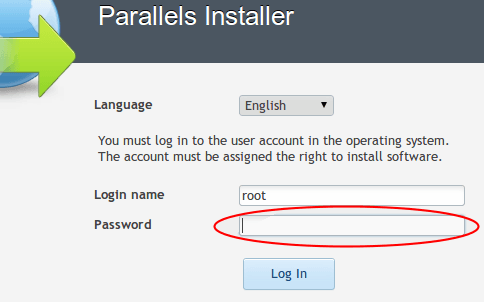
- This may also ask for the root password. If required, enter the root password for the server:
- Click on "Add and Remove Product Components":

- Under "Plesk hosting features", select "ModSecurity Web Application Firewall for Apache":

- Click Continue down the bottom to install.
- Once the installation is complete, you should see a confirmation that the installation has successfully completed. You can now close this window.
Configuration
- Click on Tools and Settings, then select "Web Application Firewall (ModSecurity)" under Security:

-
Here is where you can select three different modes for ModSecurity:

For this support article, we're going to use "Detection Only" so that it doesn't interfere with working sites. Once you're confident that the rules are working well, you can change the setting to "On" to actively block bad requests.Conetix recommends thoroughly testing the rules for at least 2 weeks before actively blocking requests.
- Next, select the rule set you'd like to use. By default, this is the "Atomic Basic ModSecurity Rule Set" which is bundled with Plesk:

- Enable "Update rule sets" and set this to weekly:

- Under "Configuration", you have three options for the rule sets. The options available are Fast, Tradeoff and Thorough:

Each level requires more server resources (CPU and memory) as the level of security increases. Conetix suggests testing the effectiveness of "Fast" before using any high setting so as not to affect the performance of the websites on the server. - Click OK to apply the settings. This will restart Apache and load the new ModSecurity settings.