
Overview
This support article describes how to block ports via Imunify360 Firewall for your Virtual Private Server (where Imunify360 is installed).
Instructions
- Login to your Plesk based VPS.
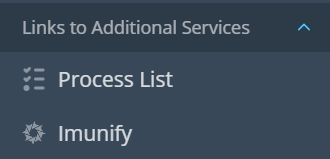
- Once logged into Plesk -> In the Lefthand Navigation, click on Imunify.
- Next click on Firewall tab, then PORTS.

- All open, except specified should be selected , then to the right click Add.

- Enter Port number, select TCP, Enter comment (If Required), then Add PORT.
Example for IMAP SSL Port 993.
- You should then see the rule added, with no Whitelisted IP/s.

- Continue from step 3 adding ports you require to be blocked.