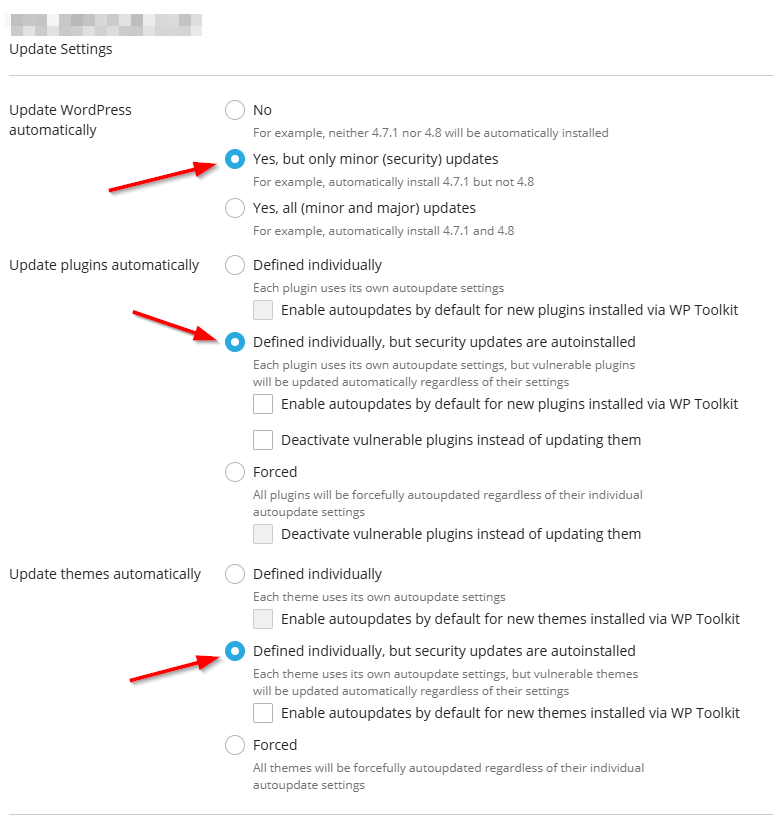
Overview
This article details how you can access the Plesk WP Toolkit and configure settings to enable or disabled auto updates for your site’s Plugins, Themes, and WordPress core files.
Instructions
- Log into Plesk via the Conetix Control Panel.
- Navigate to the WordPress button on the left side Menu.
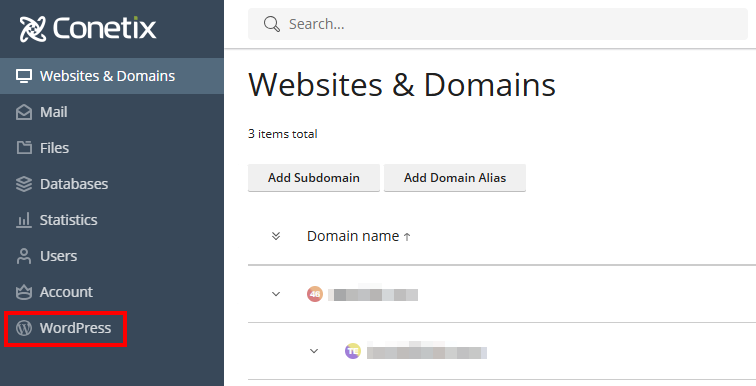
- If your WordPress website is already showing up under the toolkit, skip to the next step. Otherwise, click “Scan” to add.

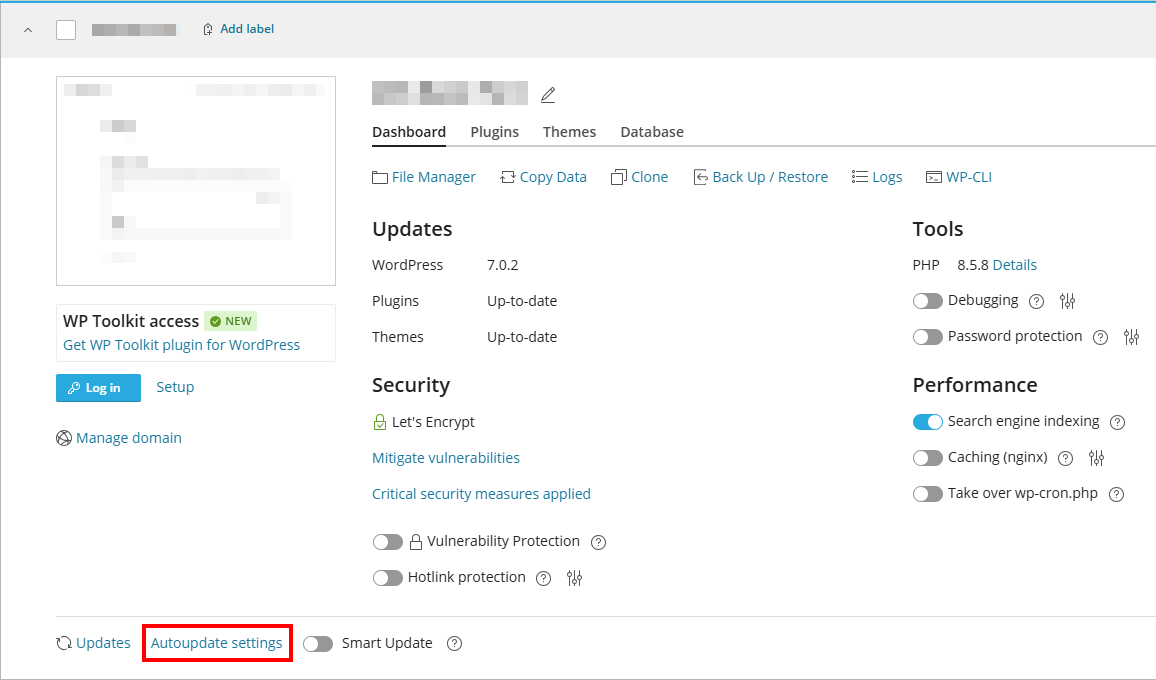
- Click on “Autoupdate settings” in the bottom left of the WordPress instance in the toolkit.
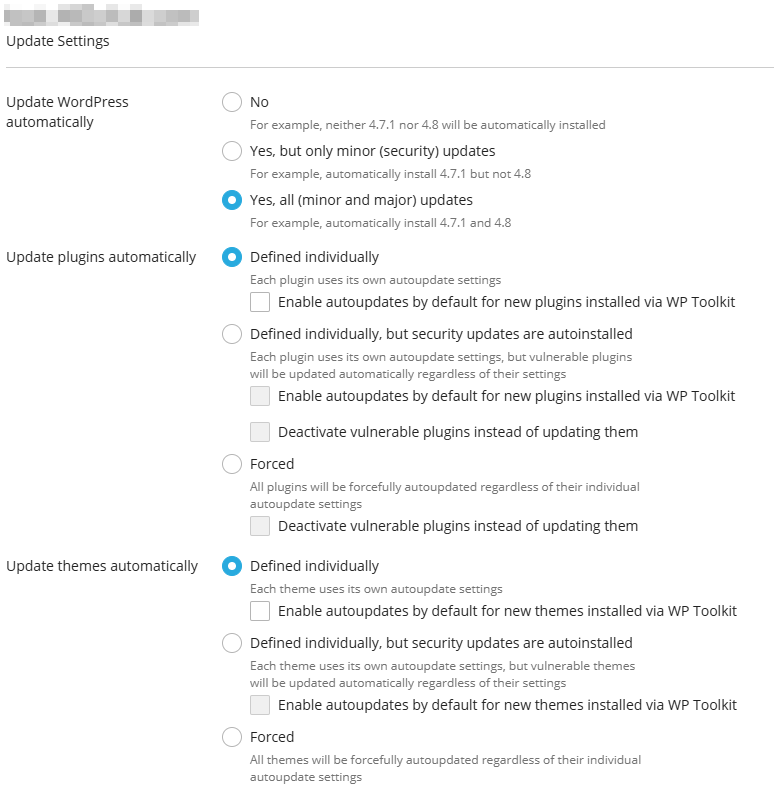
- By default, auto-updates will enabled for all WordPress core versions, and disabled for plugins and themes.
- We recommend settings the below options, to push security updates automatically, while still allowing you to manage general updates.