
Overview
Single Page Applications (SPA’s) are a JavaScript based web development. This allows a single page to be loaded by the browser, then sub-pages to be loaded via internal JavaScript API’s rather than calls back to the server.
The technology is commonly used by web frameworks such as React, Vue, Angular and similar. This also includes more feature rich bundles of these frameworks such as Nuxt and Next.js.
When deploying this via Plesk, the site will work but the standard installation of Plesk doesn’t know how to route hard calls from the browser (eg, going to a direct sub-page link) as it’s not aware of the internal JavaScript API routing.
To ensure all calls route through the SPA, you can follow the instructions below to route all requests through to you JavaScript application.
Virtual Private Server Customers
- Login to your Plesk based VPS
- Select the domain you wish to deploy your app to.
- Go to Hosting and DNS-> then select
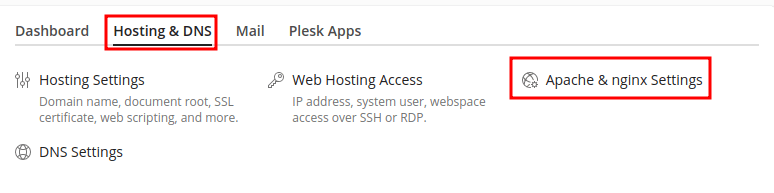
- Scroll down to the Additional nginix directives section
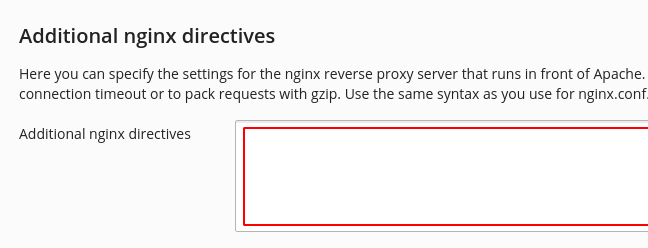
- Add:
location ~/ {
	try_files $uri $uri/ /index.html?$query_string;
} - Click OK to save and confirm the site loads with direct URL calls now.
Shared Hosting Customers
Unfortunately at this point, shared hosting permissions don’t allow you to make custom changes to the nginx configuration. However, please contact our friendly support team and we can add this additional nginx directive in on your behalf.