
Overview
The Maintenance mode in the WordPress Toolkit hides the content of the website from view and will also block logins to the WordPress back-end when activated.
Maintenance Mode is also used when you are updating your WordPress website or using the Toolkit to migrate websites. This is usually very quick and hard to notice.
Instructions
- You want to follow our Article on Logging into Plesk
- In Plesk on the left hand side, at the bottom of the list click WordPress:
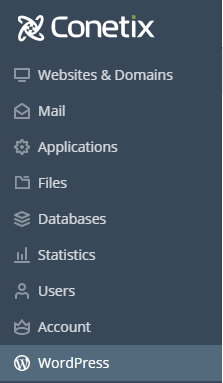
- Any detected WordPress Instances will be listed here. To view the tools of the Toolkit, you want to click on the Domian Name.


- The Maintenance Mode Toggle is in the bottom right of the now opened WordPress Toolkit settings.
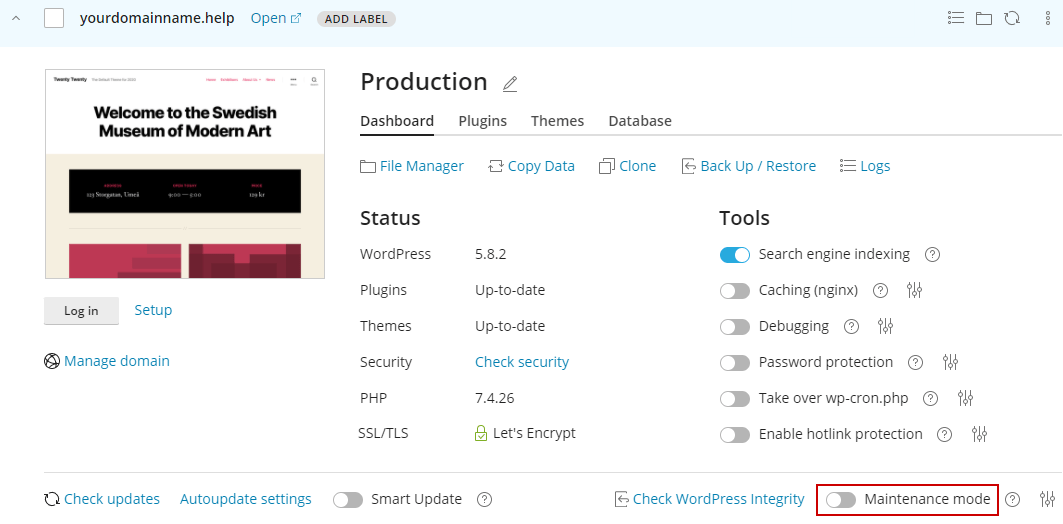
- Maintenance Mode has now been Disabled or Enabled