
Web hosting used to be relatively straightforward.
A reliable server, a control panel and a decent backup routine were enough to keep most websites running smoothly. For web developers and designers, hosting was often an additional service that could be bundled into a broader offering without creating too much extra work.
Small hosting providers could run lean operations, look after their customers and, for the most part, still get a decent night’s sleep.
That environment has changed.
Today, developers, agencies and smaller hosting providers are dealing with more complexity from almost every direction. Technology is moving quickly, security expectations are higher, AI is changing the way websites are built and managed, and experienced infrastructure people are becoming harder to replace.
At the same time, customers increasingly expect enterprise-level uptime, performance and support without necessarily expecting to pay enterprise-level prices.
This is the first article in a series looking at what is changing in hosting, why it matters for smaller teams and what practical options are available.
Managed hosting is not the answer for every business. But for many developers, designers, agencies and smaller hosts, it is becoming worth asking whether running the infrastructure themselves is still the best use of their time.
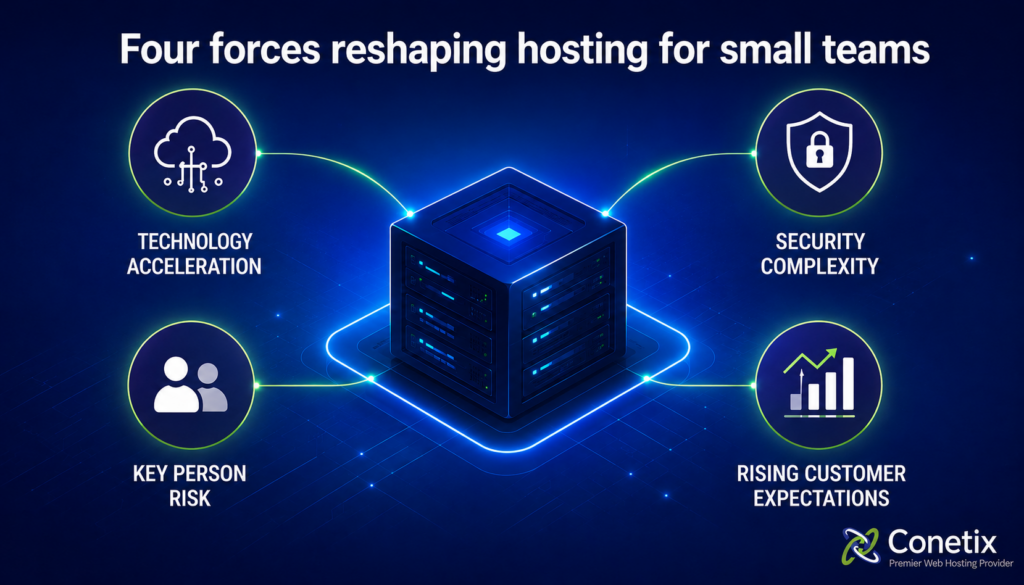
Four forces reshaping hosting for small teams
There is no single change responsible for the pressure people are feeling. It is the combination of several shifts happening at once.
Understanding those changes makes it easier to decide what should stay in-house and what may be better handled by a specialist.

1. The technology stack keeps expanding
A few years ago, a typical small hosting environment might have involved a Linux server, a LAMP or LEMP stack and a control panel such as cPanel or Plesk.
That knowledge still matters, but the job now extends much further.
Someone managing hosting today may also need to understand:
- Virtualisation with VMs and Containers
- Orchestration
- Content delivery networks (CDNs)
- Various CMS platforms like WordPress, Joomla!, Drupal.
- Multiple PHP versions and runtime environments
- Automated deployment pipelines
- Cloud infrastructure and billing
- Monitoring and performance tooling
Then there is AI.
Over a relatively short period, AI has gone from an interesting new technology to something customers actively ask about.
Developers are increasingly hearing questions such as:
“Can we add an AI chatbot to the website?”
“Can we use AI to generate our blog content?”
“Can AI create the images as well?”
From the customer’s perspective, those are perfectly reasonable questions.
For the person responsible for the website, however, every new tool can introduce another plugin, API, account, privacy consideration, integration or potential failure point.
The challenge is no longer simply knowing how to host a website. It is keeping up with a technology stack that continues to expand.
For a solo developer or a small technical team, that can easily become a second full-time job.

2. Security requires constant attention
Security has also changed significantly.
There was a time when a firewall, strong passwords, regular updates and a reliable backup strategy covered most of the obvious risks.
Today, properly managing a public-facing hosting environment involves much more.
That may include:
- Operating system and control panel patching
- Application and CMS updates
- Malware scanning
- File integrity monitoring
- SSL/TLS management
- Brute-force protection
- Multi-factor authentication
- Access control
- Plugin, theme and dependency security
- Vulnerability monitoring
- Incident response
None of these tasks is particularly unusual on its own. The problem is that they all need ongoing attention.
A vulnerability can be disclosed one day and actively exploited soon afterwards. If the person who normally handles security is unavailable, the business still needs a way to respond.
For many developers and designers, this is also the part of hosting they enjoy the least.
Most people get into web development because they want to build websites, solve problems and create good digital experiences. Spending Friday evening applying emergency patches to a server was probably not part of the plan.
Customers, understandably, still expect their websites to be secure.
That responsibility usually falls on whoever manages the hosting environment.

3. Too much knowledge often sits with one person
This is a pattern we see regularly at Conetix.
A small agency, reseller or hosting business has one person who really understands the infrastructure.
They know which server hosts which client. They know why a particular cron job exists. They know where the DNS is managed, which account has an unusual setup and what needs to happen when something goes wrong.
Over time, that person becomes part of the infrastructure.
Then they leave.
Or they are sick. Or on holiday. Or simply unavailable when something breaks.
Suddenly, the business discovers that its disaster recovery process depends on one person’s memory.
This is often described as the “bus factor”, but the issue is broader than succession planning.
Documentation may be incomplete. Credentials may be spread across different systems. Historical configuration decisions may no longer make sense to anyone else. The next person has to work backwards through years of accumulated knowledge before they can confidently make changes.
The problem is rarely that people do not care about documentation. Usually, the person with the knowledge has simply been too busy dealing with day-to-day work to document everything properly.
That creates a risk which grows quietly over time.
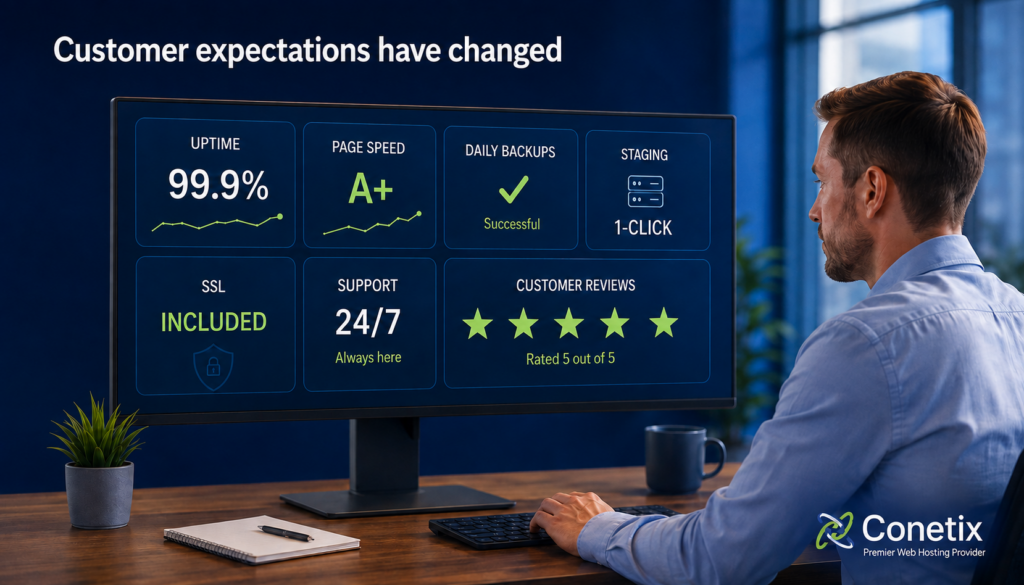
4. Customer expectations have changed
Small providers are no longer compared only with other small providers.
Customers use large cloud platforms, SaaS products and global technology companies every day. Those experiences influence what they expect from everyone else.
For hosting, expectations now commonly include:
- 99.9% uptime or better
- Fast mobile performance
- Frequent backups
- Simple staging environments
- SSL certificates included
- Fast technical support
- Local Support in your time zone when something goes wrong
- Data Sovereignty & Data Residency
- Predictable monthly pricing
- User friendly Dev Tools
None of those expectations is unreasonable.
The difficulty is delivering all of them profitably when hosting is only one part of your business.
Every hour spent troubleshooting a server is an hour that cannot be spent on development, design or other billable work.
Every customer expecting immediate support adds pressure to a small team.
And every prospect comparing a managed hosting service with a low-cost mass-market plan makes the value conversation more difficult.
The result is a familiar squeeze: customers want more from their hosting, but the operational cost of providing it keeps increasing.

Why this matters for Australian businesses
Australian organisations also need to think carefully about where their data is hosted.
For businesses, schools, government organisations and not-for-profits, data sovereignty can be an important part of the hosting decision.
When data is stored offshore, it may be subject to laws and jurisdictions outside Australia. Depending on the organisation and the information involved, that can create additional compliance and governance considerations.
For industries such as healthcare, education, finance and government, knowing where data is stored is often just as important as knowing how quickly the website loads.
Local hosting can also improve performance for Australian audiences.
Content delivery networks (CDNs) can reduce some of the physical distance between a website and its visitors by serving cached assets such as images, stylesheets and JavaScript from locations closer to the end user. This can improve load times, particularly for websites with audiences spread across multiple countries.
However, a CDN does not make the location or performance of the origin server irrelevant. Requests that cannot be served from cache still need to travel back to the origin infrastructure. This commonly includes dynamic page requests, personalised content, database-driven functionality, administrative actions and other uncached resources. For applications such as WordPress, the HTML page itself may not be cached by default, meaning the performance of the underlying hosting environment remains important.
For websites primarily serving Australian visitors, hosting the origin infrastructure in Australia can therefore provide a useful performance advantage. Keeping the application, database and other backend services geographically closer to the majority of users can reduce network latency and shorten the time required to process requests that need to reach the origin.
It is also important to consider the network path taken between the visitor, CDN and origin server. Introducing a CDN or reverse proxy does not guarantee that every request will take the fastest possible route. Depending on the CDN provider, service plan, ISP and peering arrangements, traffic can occasionally take an indirect route rather than remaining within Australia. In some circumstances this can offset part of the performance benefit a CDN is intended to provide.
A CDN should therefore be viewed as one component of a broader performance strategy rather than a replacement for well-located, well-optimised hosting. An Australian origin server combined with appropriate application caching, database optimisation and carefully configured CDN services can provide a strong foundation for websites whose audience is predominantly Australian.
Local infrastructure can offer additional operational benefits as well. Australian hosting can make it easier for organisations with Australian data residency requirements or preferences to understand where their primary application data is stored. Working with an Australian hosting provider can also provide access to local technical support and engineers who understand Australian network conditions, connectivity providers and common hosting requirements.
There are also security considerations when placing a service such as Cloudflare in front of a website. Because proxied traffic reaches the origin from Cloudflare’s network rather than directly from the visitor’s IP address, some network-level protections provided by the hosting environment may operate differently. This does not necessarily make using a CDN less secure, but it means the CDN, application and hosting security layers should be configured to complement one another rather than assuming one service replaces the others.
Ultimately, the best architecture depends on the website’s audience and requirements. For a globally distributed audience, a CDN can provide substantial benefits. For a predominantly Australian audience, combining a CDN where appropriate with fast Australian origin infrastructure can help minimise latency while retaining the benefits of local hosting, support and data residency.
When evaluating a CDN such as Cloudflare, it is worth considering:
The level of technical support available when performance or routing issues occur.
How much of the website is actually cached at the edge.
Where the origin server is located.
The network route Australian visitors take to reach the site.
Whether the CDN improves or adds latency for the site’s primary audience.
How application and page caching are configured.
How the CDN interacts with existing firewall and hosting security controls.
Whether Australian data residency is an organisational requirement or preference.
Further reading: For more detail on how Cloudflare can affect caching, routing and security, see our guide: Considerations when using Cloudflare

What keeping up actually looks like
When infrastructure starts becoming difficult to manage, the natural reaction is often to add more tools.
Another monitoring service. Another plugin. Another automation platform. Another AI assistant.
Sometimes that helps.
Sometimes it simply creates another system that somebody has to understand and maintain.
In our experience, the better starting point is usually simpler: reduce unnecessary complexity and make clear decisions about what your team should be responsible for.
Be clear about where you add the most value
If you are a developer or designer, infrastructure may be necessary to deliver your work, but it is probably not where you create the most value for customers.
Your customers are paying for your ability to design, develop and improve their websites.
Likewise, if you run a smaller hosting business, your advantage may come from your customer relationships, industry knowledge and local service rather than your ability to build and maintain infrastructure from scratch.
There is nothing wrong with saying, “We build and manage the websites, and we work with a specialist partner for the infrastructure underneath them.”
That is not giving up control. It is deciding where your team’s time is best spent.
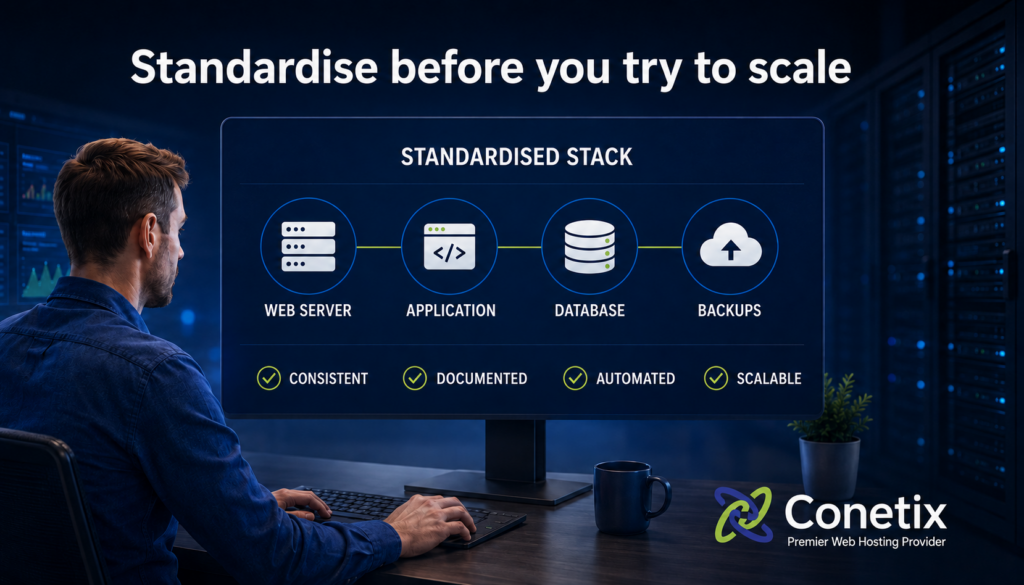
Standardise before you try to scale
One of the easiest ways to make hosting harder than it needs to be is to support too many different configurations.
Different control panels, backup tools, PHP versions, server setups and deployment processes all add to the amount of knowledge your team needs to carry.
Where possible, standardise.
Choose a stack. Choose a control panel. Choose a backup process. Document the way things should be configured and use that as the default.
There will always be exceptions, but fewer exceptions mean less troubleshooting and less mental overhead.
Standardisation is not exciting, but it makes small teams much more resilient.
Document the things people will need in an emergency
Everyone knows documentation is important.
The reason it often does not happen is simple: day-to-day work gets in the way.
You do not need to start by building an enormous internal knowledge base.
Start with the information somebody else would need if the person responsible for hosting was suddenly unavailable.
Document things such as:
- What each server does
- Which customers or services depend on it
- How backups are restored
- Where DNS is managed
- Who has administrative access
- How access can be revoked
- What to do during a security or availability incident
The goal is not perfect documentation.
The goal is to make sure somebody else can get through the first hour of a problem without having to call the one person who normally knows the answer.
Automate repetitive maintenance
Routine infrastructure work should be automated wherever it makes sense.
Backups, monitoring, alerts and appropriate update processes should not rely on someone remembering to log in and run them manually.
Modern hosting platforms and control panels provide plenty of options for automating routine tasks.
The important part is making sure the automation is monitored as well.
A backup process that has quietly been failing for three months is not much better than having no backup process at all.
The aim is to use your team’s time for problems that genuinely require judgement and experience rather than repetitive administration.

The Conetix recommendation
For many small teams, the most practical model is to separate responsibility for the application from responsibility for the infrastructure.
Keep building the websites.
Keep designing the customer experience.
Keep writing the code and working directly with clients.
But consider whether the platform underneath those websites needs to be managed by the same people.
A managed hosting partner can take responsibility for areas such as:
- Server patching and hardening
- Monitoring and incident response
- Backup and disaster recovery
- Security updates and vulnerability management
- Hosting-related technical support
- Locally hosted infrastructure
That does not mean handing over your business or losing visibility into your customers’ environments.
It means your team is no longer responsible for every infrastructure issue that occurs outside business hours.
If you currently manage hosting internally, there is a useful question to ask:
What would happen if the person who understands our hosting environment left tomorrow?
If the answer is unclear, uncomfortable or heavily dependent on one individual, that is a sign the current setup deserves a closer look.
When does partnering with a managed host make sense?
There is no exact point at which every business should move to managed hosting.
Usually, the warning signs appear gradually.
It may be worth exploring a partnership if:
- Server issues are taking significant time away from client work
- Your technical lead is the only person who understands the hosting environment
- There is no documented plan for handling their absence
- Security work is mostly reactive
- Infrastructure is preventing you from taking on more customers
- Holidays are interrupted by worries about servers or outages
- Customers expect 24/7 support that your current team cannot realistically provide
These are not signs that the business has done something wrong.
In many cases, they are simply signs that the business has outgrown the way its hosting was originally set up.
What we will cover next
Over the rest of this series, we will look more closely at some of the issues developers, agencies and smaller hosts are dealing with.
We will cover topics including:
- How AI is changing hosting operations
- How smaller teams can approach hosting security
- What to do when the person who understands your infrastructure leaves
- How to decide between running hosting yourself and using a managed provider
- How an Australian hosting partner like Conetix can support growth
The aim is to keep the series practical.
Hosting is becoming more complicated, but the answer does not have to be building a bigger internal infrastructure team or adding more technology for the sake of it.
Often, the most useful step is deciding which responsibilities genuinely belong with your team.

Final takeaway
The hosting industry is unlikely to become simpler.
AI will continue to change the way websites are built and operated. Security threats will keep evolving. Customers will continue to expect fast, reliable and well-supported services.
Trying to become an expert in every part of that environment is not realistic for most small teams.
The better question is whether your current hosting setup gives your people enough time to focus on the work they are actually best at.
For developers, designers, agencies and smaller hosting providers, that may mean keeping control of the customer relationship and the website while relying on a specialist partner for the infrastructure behind it.
If hosting is starting to take more time, create more risk or depend too heavily on one person, it may be worth reviewing your current setup.
Our Partner Manager Andrew can help you assess your existing hosting environment, talk through the available options and determine whether managed Australian hosting makes sense for your business.
You can email Andrew direct at partnerwith@conetix.com.au or reach out on 1300 789 260
If you want to read more about our Affiliate/Partner Program click here.
*All images were generated using AI 😉