Overview
This article aims to guide you through generating a reCAPTCHA key for your contact form.
Instructions
- Using your Google Account Log into https://www.google.com/recaptcha/admin/create
- Login to the admin console with the button in the top right labeled “v3 Admin Console”

- Select the reCAPTCHA v3 option:

- Confirm that the domain name is configured as per below, without the “https://” prefix:

Do not configure with a URL. Always use the domain on it’s own.

- You can now use the two generated keys (Site Key and Secret Key) to enable reCAPTCHA in your Contact Form Plugin.
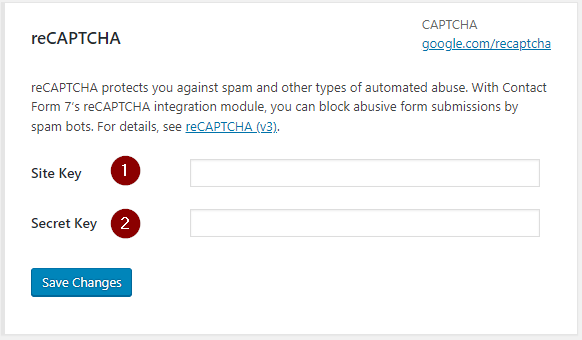
- For example, in Contact Form 7 you would need to enter the generated Site and Secret keys into the relevant fields, and then click Save Changes;
- For example, in Contact Form 7 you would need to enter the generated Site and Secret keys into the relevant fields, and then click Save Changes;