
Overview
Customers with a Plesk VPS are able to set a custom login URL for their Plesk server instead of their servers hostname. This can be handy for partners or resellers that would like customers to visit a unique domain or subdomain when logging into their Plesk subscriptions.
Instructions
- Login to your Plesk VPS.
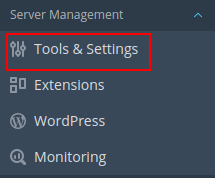
- Click Tools & Settings in the left menu bar:
- Under General Settings, Click Customize Plesk URL:

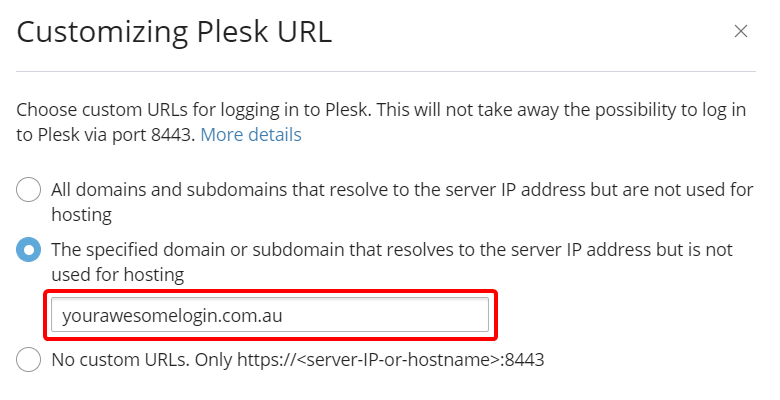
- Ensure The specified domain or subdomain that resolves to the server IP address but is not used for hosting is selected:

- Change the currently set Plesk URL to your custom domain or subdomain:
- Click OK to save the new Plesk URL:

- To view your changes, visit the new Plesk URL in an private browsing window:

- Let your customers know about your awesome new Plesk Login URL!
If you’re unsure regarding the above steps please reach out to our friendly support team!