
Overview
This article will detail the steps involved when updating the Contact details on a Domain with ID Protection through the Conetix Control Panel.
Domain ID Protection is a service that “masks” the contact details of the domain registrant/owner from services that provide publicly available WHOIS information. ID Protection provides an added layer of safety for your company’s private website data and information. We highly suggest adding this service when registering your domain name with Conetix to protect your personal information and privacy.
Instructions
- Login to the Conetix Control Panel and Navigate to the Domain’s Tab as shown below:

- Select ‘Manage’ on the relevant Domain:

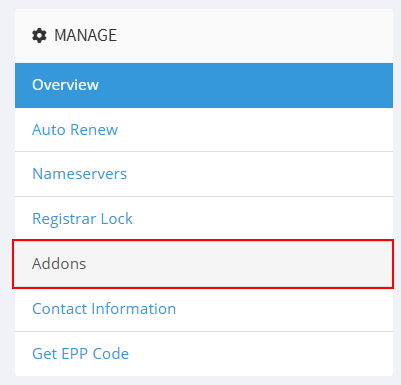
- On the right-hand menu Select ‘Addons’:
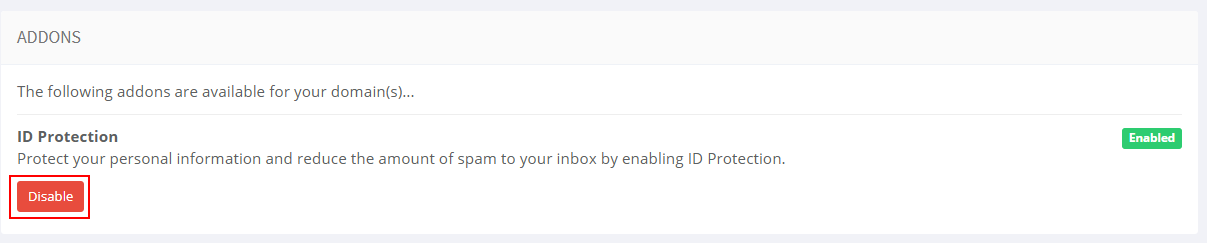
- Click Disable to turn off ID Protection:
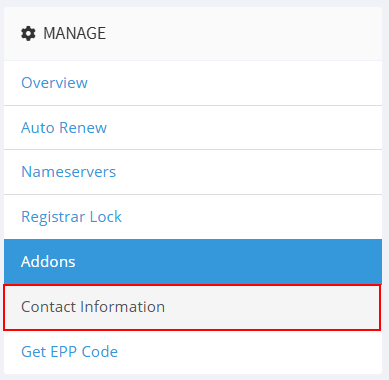
- Select ‘Contact Information’ on the right hand side as shown below
- Update the Relevant Contact Information.
- When done, select ‘Save Changes’ at the bottom of the page.
- Select ‘Addons’ on the right-hand side as shown below then click ‘Buy Now’ to hide your Domain Contact details again.
Once you have re-enabled ID Protection on your Domain your private details will no longer be visible on a WHOIS search. - You have successfully updated the Registrant Contact Details.