Overview
This support article describes the process of Exporting or Importing contacts in Roundcube Webmail.
Instructions
Export:
- Login to Roundcube webmail for your domain.
- Next click Contacts -> Dropdown arrow besides Export -> Export all.
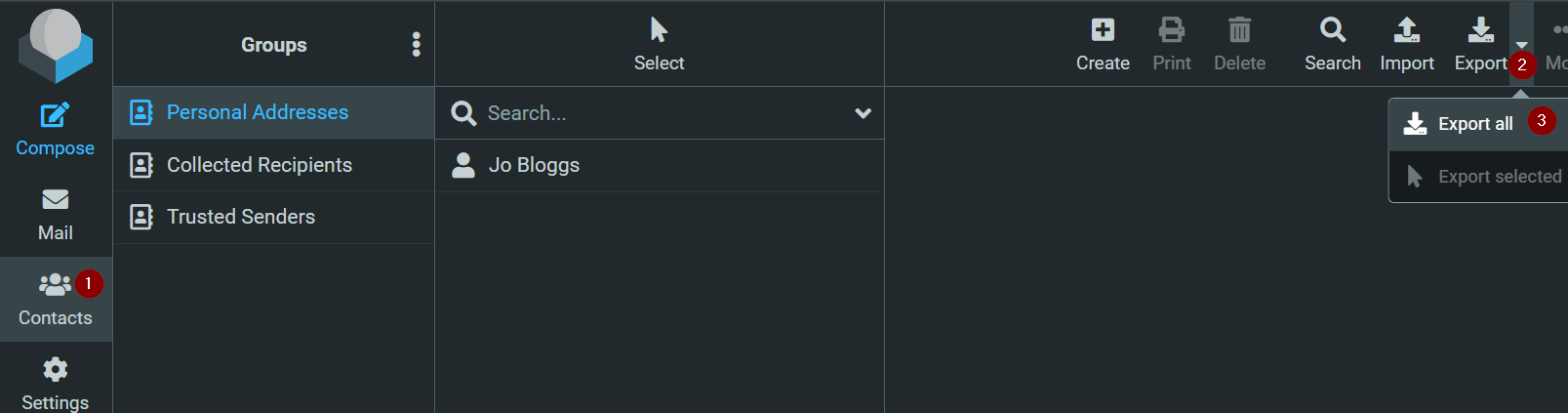
- The export will automatically download to your PC/MAC, file name export will be contacts.vcf
Import:
- Login to Roundcube webmail for your domain.
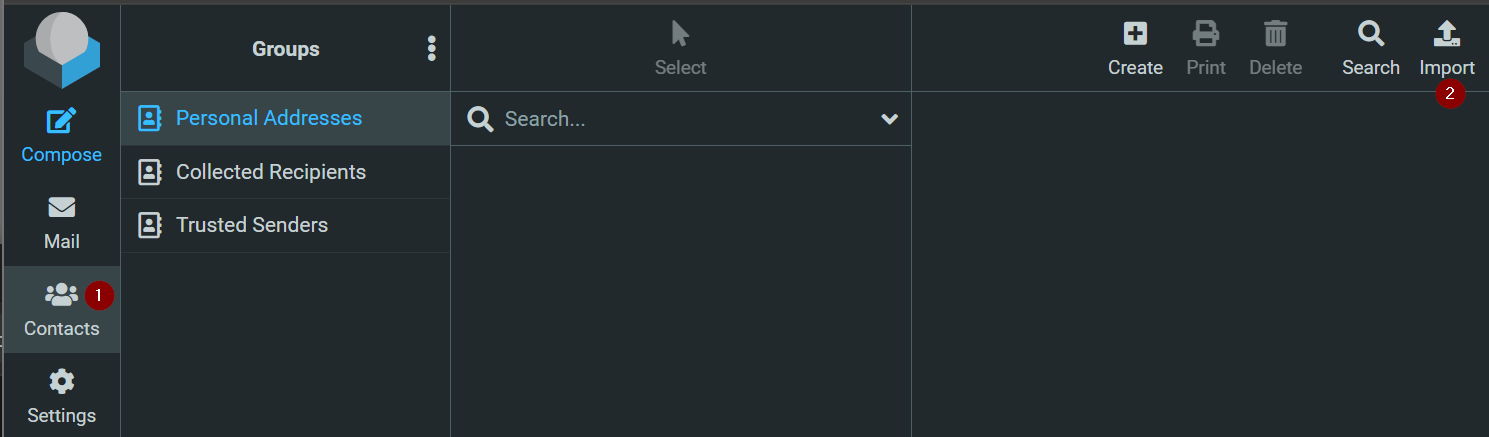
- Next click Contacts -> Click Import.
- A popup will appear:
Import from file: Browse your PC/MAC for exported contacts.vcf file.
Import group assignments: Select All (create groups if necessary).
Replace the entire address book: Leave disabled.
Click Import.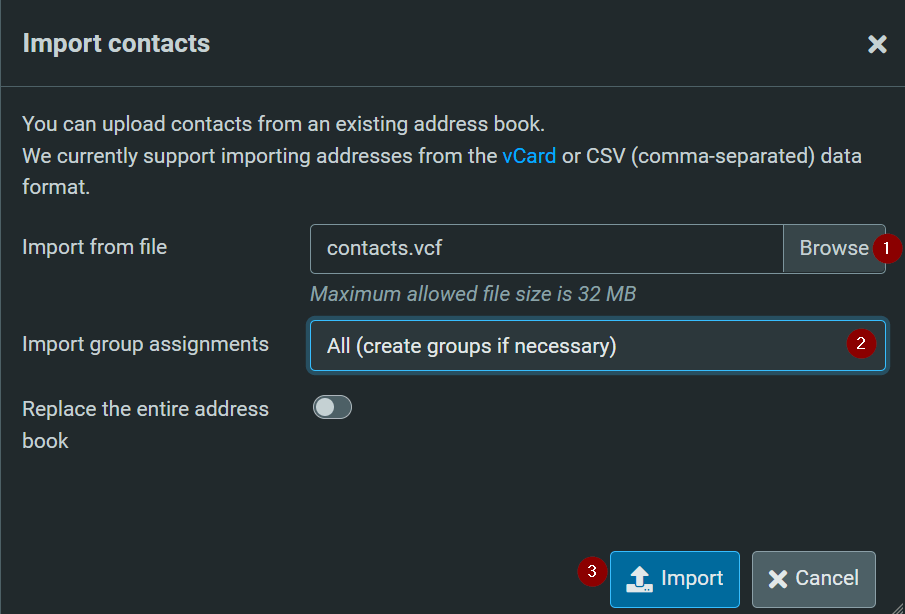
- Once import you should then see list imported contacts.